Odoo to Tally Integration
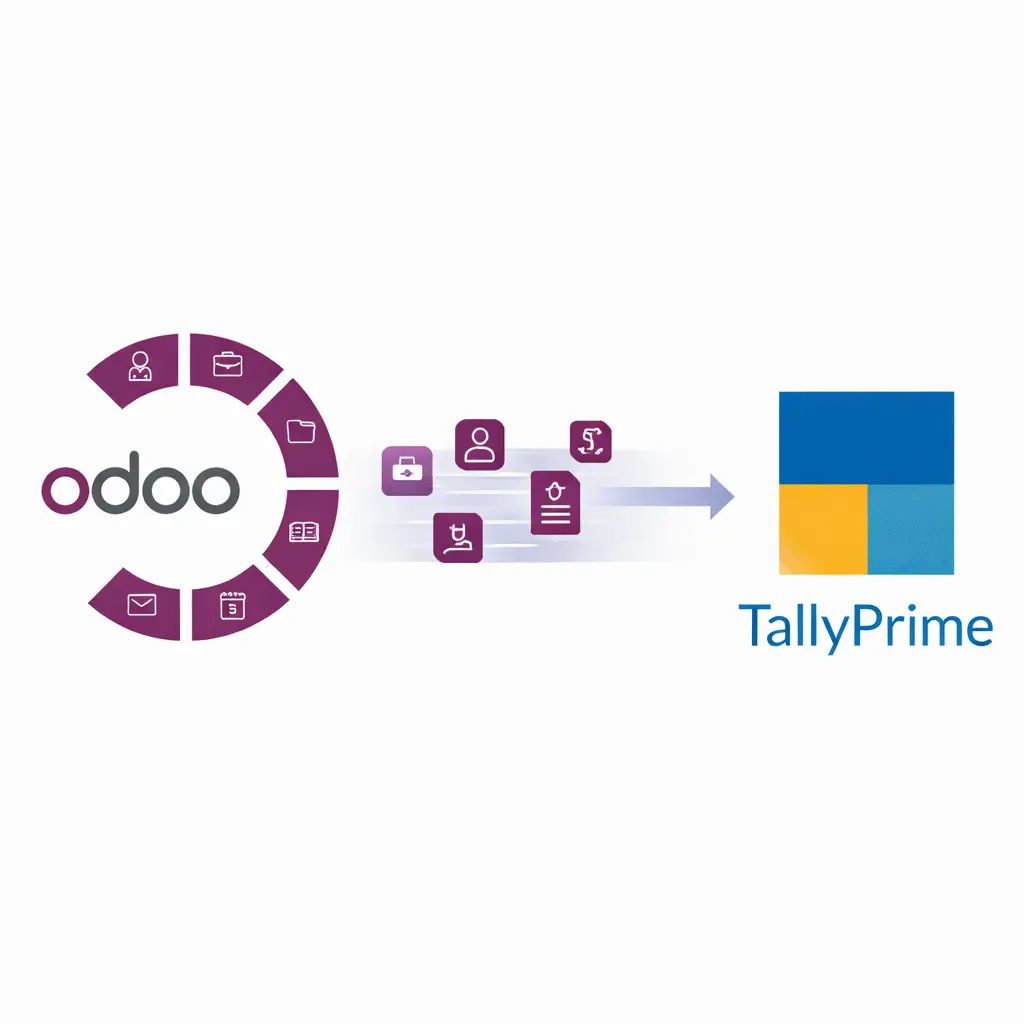
Odoo to Tally Integration Seamlessly sync sales, purchases, GST, ledgers, payments and accounting data from Odoo to TallyPrime without repetitive manual data entry .
At VeeVee Infotech, we provide customized Odoo to Tally integration solutions tailored to your business workflows, compliance needs, and reporting structure.
Odoo Online Odoo Sh On- premise 16 Years
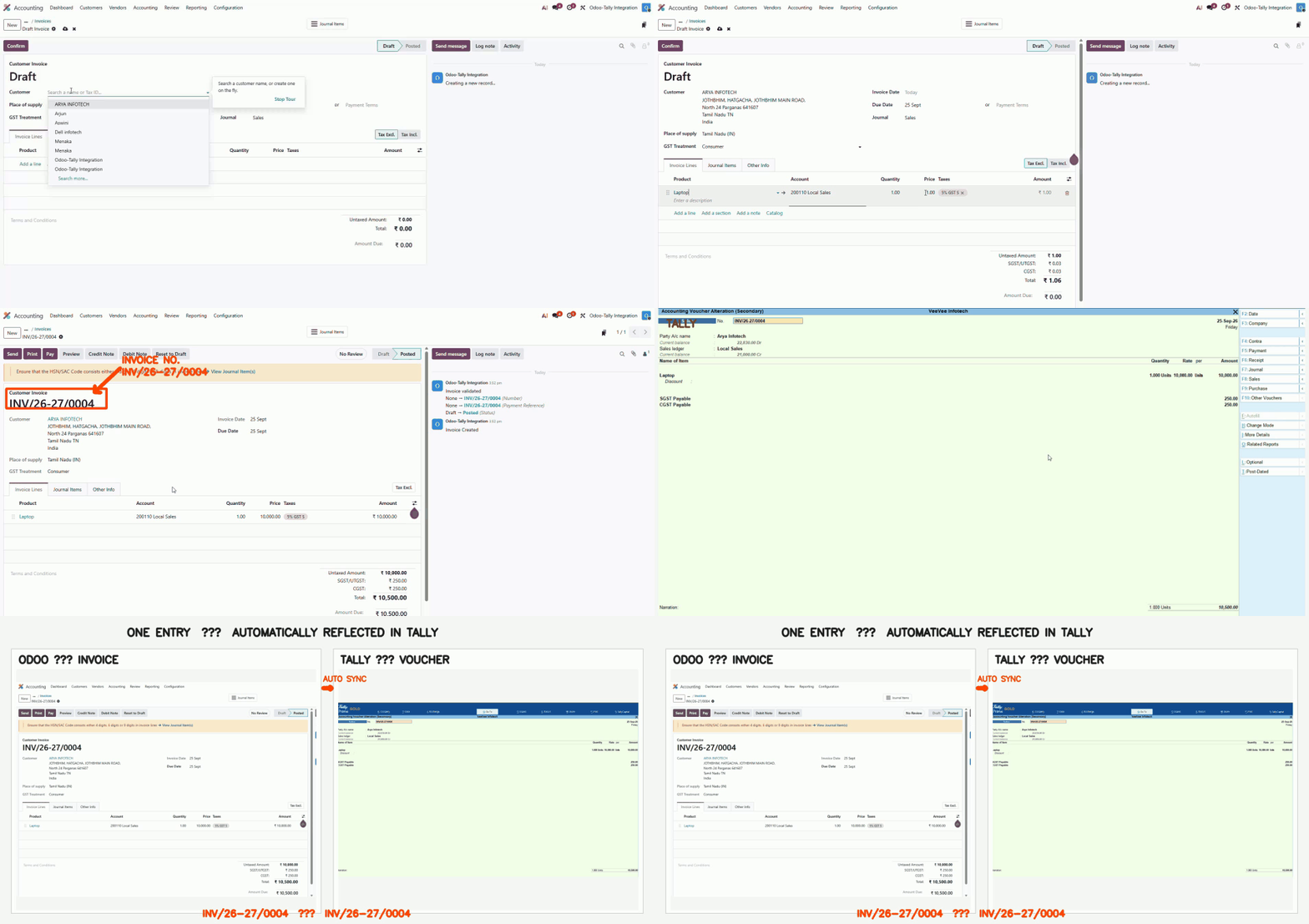
See It in Action
Watch sales, purchase, journal and bank transactions move from Odoo to TallyPrime's Day Book within seconds
Stop Entering the Same Transaction Twice
Your business runs on Odoo. Your accountant, auditor and GST filings run on Tally.
Without an integration, every sales invoice, vendor bill, payment and journal entry created in Odoo has to be typed again in Tally. That means hours of repeated work every week, and mistakes in amounts, taxes and party names that surface only at month-end or during GST filing.
VeeVee Infotech's Odoo to Tally Integration removes that double entry. Create the transaction once in Odoo, and it reaches TallyPrime with the correct ledgers, items and GST details.
Accounting Vouchers
Posted using Tally's own voucher types.
✅
Sales and Purchase
✅
Payment and Receipt (bank and cash)
✅
Journal
✅ Debit Note and Credit Note
Master Data
Created automatically in Tally when a transaction needs them.
✅
Customer & supplier ledgers, with address and GSTIN
✅
Items and service masters, with units and HSN/SAC
✅ Sales, purchase, expense and bank ledgers, through mapping
✅
GST and tax ledgers (CGST, SGST, IGST)
Sync is transaction-driven: contacts and products go to Tally only when they are used in a transaction, so your Tally company stays clean.
Works with Every Odoo Deployment
Many Odoo–Tally tools work only with Odoo.sh or on-premise Odoo, because they need custom modules installed on the server. That leaves out businesses on Odoo Online.
Our integration supports all three, so you can:
- Stay on Odoo Online. No migration needed just to connect with Tally.
- Change hosting later. The integration moves with you.
- Use one solution across group companies, even on different Odoo setups.
Odoo Deployment
Odoo Online (SaaS)
Often not supported
Supported
Odoo.sh
Supported
Odoo On-Premise
Supported
Odoo Deployment
Odoo Online (SaaS)
Often not supported
Supported
Supported
Odoo On-Premise
Supported
16
Years of Tally Experience
Built by Tally Experts, for Tally Users
An integration is only as good as its understanding of Tally. Our team has spent 16 years implementing, customising and supporting Tally, and that experience shapes how every record is posted.
Ledgers are created under the right groups: Sundry Debtors, Sundry Creditors, Sales, Purchase, Duties & Taxes.
Items carry the correct units and HSN/SAC details.
Vouchers follow Tally's voucher types and structure, exactly as an accountant would enter them.
GST reports such as GSTR-1 and GSTR-3B work in Tally without cleanup.
Create in Odoo
Confirm an invoice, bill, payment or journal entry as usual.
Validate
Customer, product, account and tax details are checked.
Map
Odoo accounts and taxes are matched to your Tally ledgers.
Create Masters
Missing ledgers and items are created in Tally.
Post to Tally
The voucher appears in TallyPrime, ready for GST and reports.
Key Features
Automatic Sync
Confirmed transactions flow from Odoo to Tally without manual export or import.
GST-Ready Mapping
CGST, SGST, IGST, HSN/SAC and GSTIN are carried across correctly for compliant GST reports.
Ledger & Voucher Mapping
Map Odoo accounts and journals to your existing Tally ledgers and voucher types.
Real-Time or Scheduled Sync
Send data as it happens, or on a schedule that suits your accounts team. .
Error Logs & Validation
See exactly which record failed and why, so it can be fixed and re-synced quickly.
Secure API-Based Integration
Data moves through secure API connections, with no manual file handling. .
Customisation Options
Every business posts differently, so the integration can be tailored to how your books work:
Company-wise and branch-wise integration
Voucher type and ledger mapping
Item-based or ledger-based accounting
Scheduled automatic sync
Manual sync with approval control
Frequently Asked Questions
All three. It works with Odoo Online (SaaS), Odoo.sh and Odoo On-Premise.
Sales, Purchase, Payment, Receipt, Journal, Debit Note and Credit Note.
No. Ledgers and items are created automatically in Tally when a transaction needs them.
Yes. CGST, SGST and IGST are posted to the mapped GST ledgers, with HSN/SAC and GSTIN details, as long as they are filled in Odoo.
Yes. During setup, your Odoo accounts are mapped to your existing Tally ledgers.
No. Masters are synced only when used in a transaction, which keeps your Tally company clean.
Subscribe from our online shop: Odoo to Tally (OTT) Subscription. Our team will help you with setup and mapping.
Yes. Submit an enquiry with your Odoo version and TallyPrime details, and we'll arrange a demo.