
Blog Summary ◷ 3 min
Odoo Call Log App brings all your business calls into one place. With call recordings, spam blocking and dashboards, it helps your team keep track of customer conversations, follow up on missed calls and manage daily call activity more easily.
A customer calls your office? But if nobody answers? They try your competitor instead.
By the time your team finds out, it’s too late.
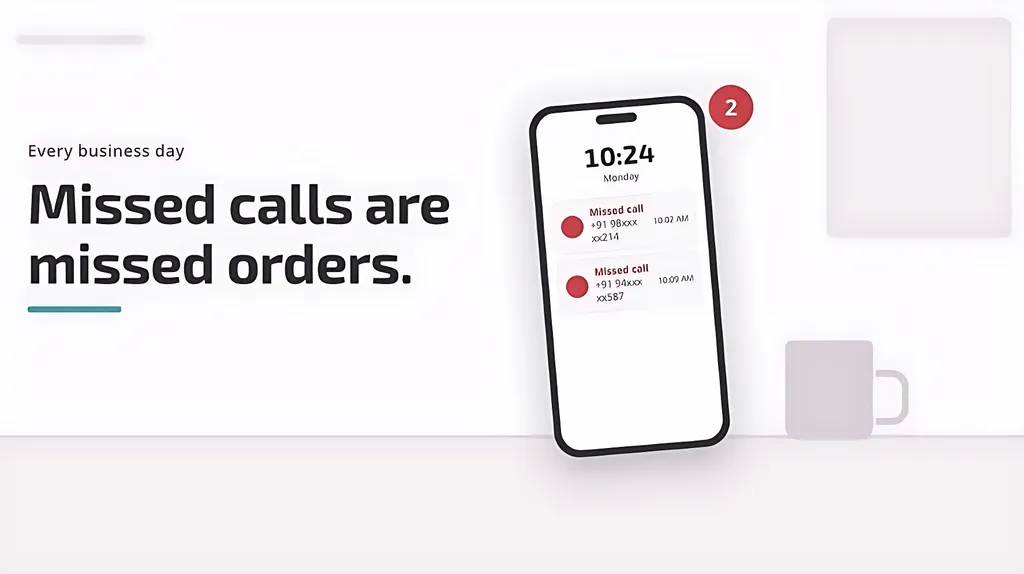
Odoo keeps track of your customers, orders and support tickets. So what about the phone calls?
Call Log App for Odoo brings those calls into Odoo, so your team can keep track of conversations, without switching between apps.
Every Call in one place
The Call Logs screen lists each call with its date, employee, type, contact and duration, all visible at a glance. Looking for specific details? You can filter missed or rejected calls, calls that haven’t been returned, numbers missing from your contacts, calls with recordings or your own call history.
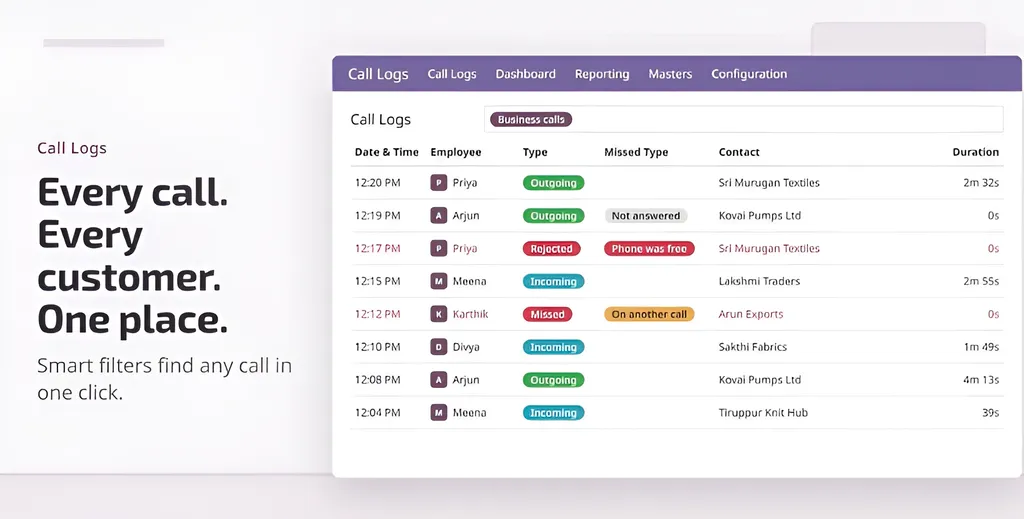
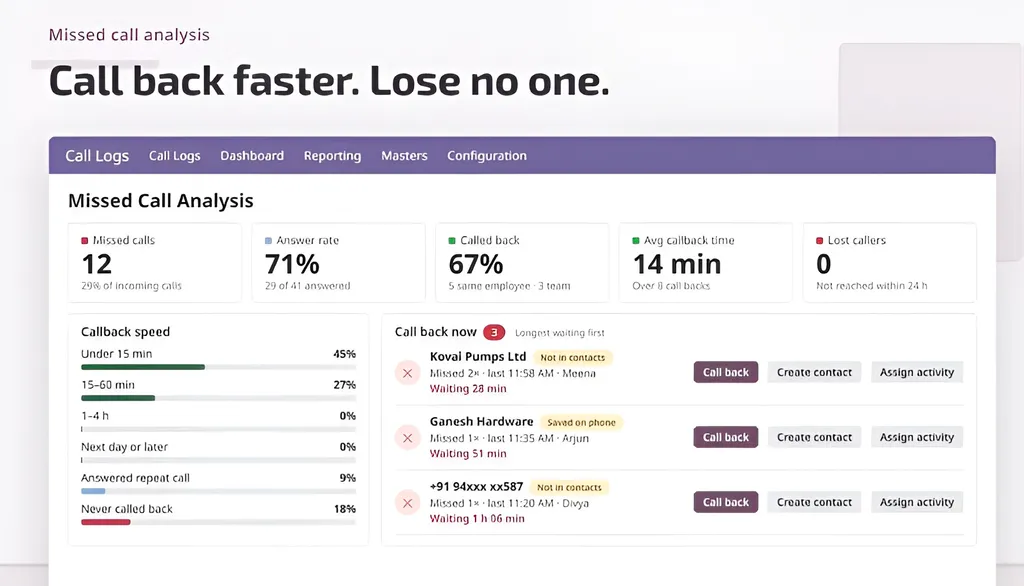
There is also a split between calls missed while the employee was available and calls missed because they were already on another call, helping you identify when you need more hands on the phone.
Each call goes to the right record
When a customer calls, the app automatically links the call to their relevant record in Odoo, be it a helpdesk ticket, CRM lead, quotation, sales order or purchase order. If the match is wrong, your team can change it anytime.
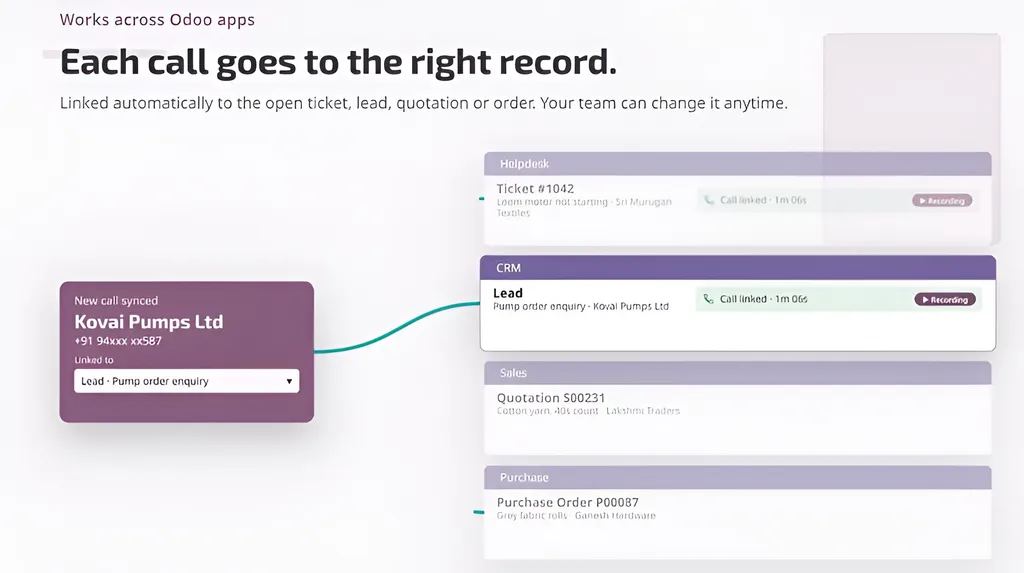
When another team member opens the ticket, they can see the call history straight away.
More than a record of who called
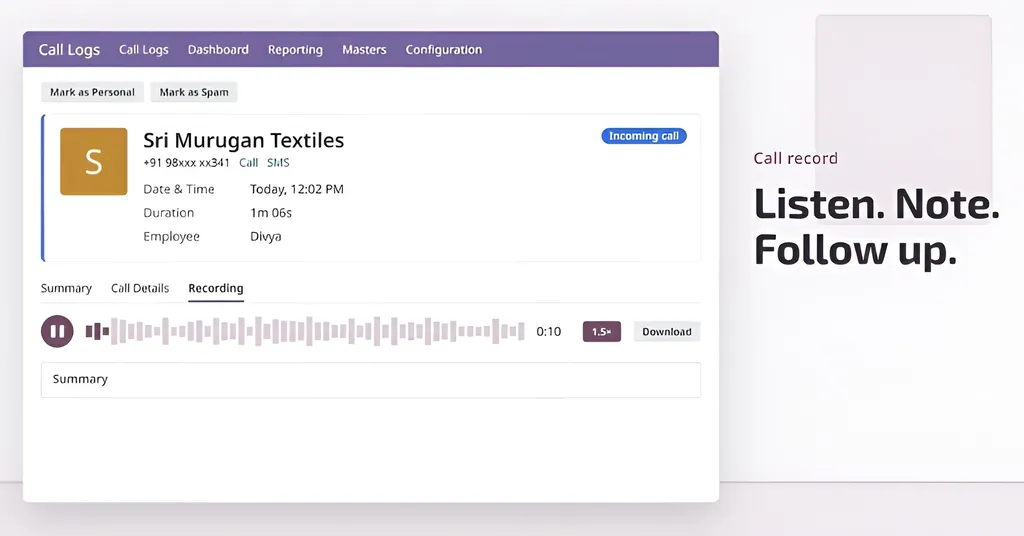
A call might require a second listen, whether it’s a customer explaining a technical issue or confirming a quotation. Odoo Call Log App lets your team record calls and play them back directly from the call record in Odoo. Each record also includes a call summary, making it easier to revisit important conversations for record-keeping.
Your team can make outgoing calls directly through the system, keeping customer interactions contained in Odoo.
Control over device and numbers
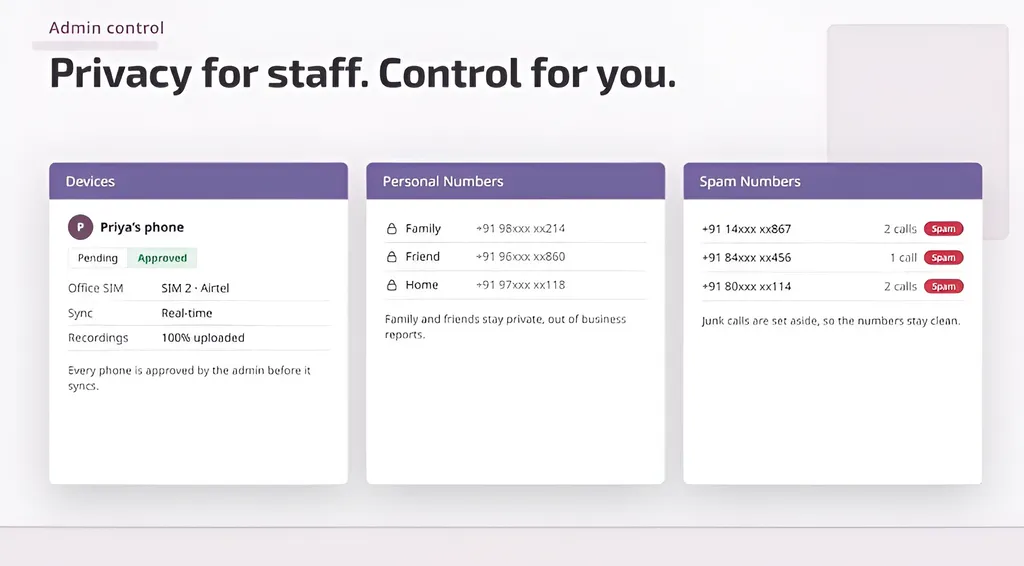
The app includes device approval, supports private personal numbers and offers spam blocking, giving businesses greater control.
Your Odoo, your data
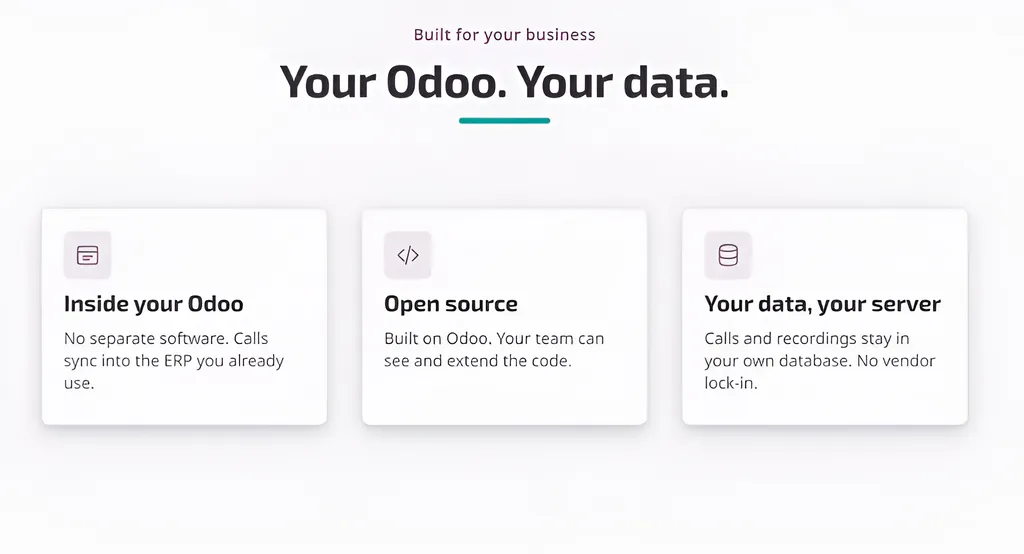
Odoo Call Log runs inside your Odoo environment. Your call data stays in your own database, keeping your information under your control, right where the rest of your operational records exist.
What your managers get
The call dashboard shows total calls, outgoing and incoming (with the percentage answered), total talk time and how many callers still haven’t made it into your Odoo contacts. Managers can also filter by today, this week, this month or a custom range, then filter further by department or employee.
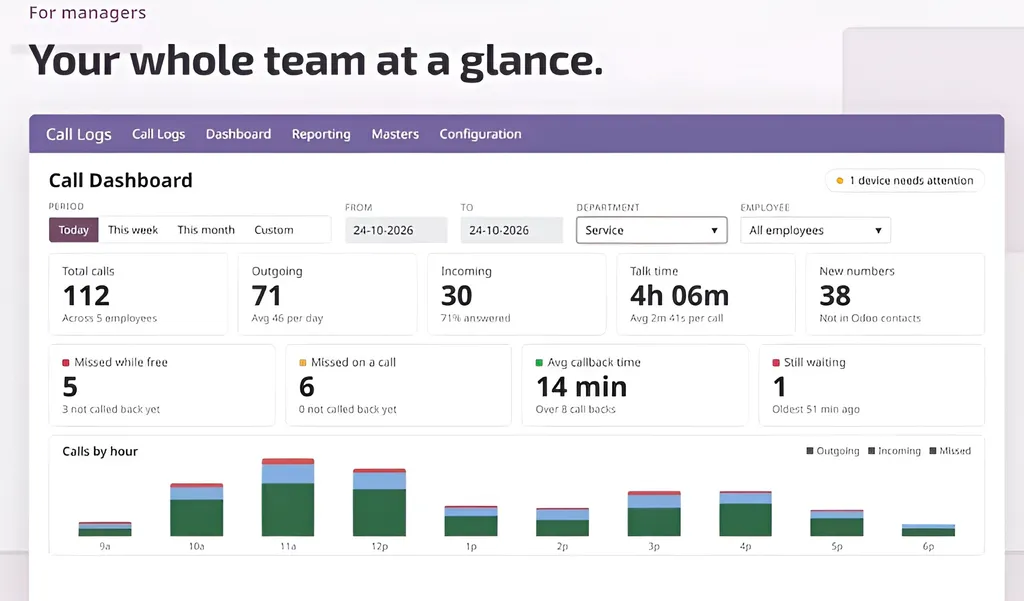
The cards worth a daily look are average callback time and calls still waiting, which tell you how long the oldest unanswered call has been waiting.
A call-by-hour chart shows when your phones are busiest, which should help you when planning shifts and assigning staff. There is also a device-status breakdown to alert you when a device needs attention.
What your employees get
Every employee has their own dashboard, starting with a short list of callers worth following up with, namely people who’ve called twice or more but still aren’t in your Odoo contacts.
Each entry comes with options to create a new contact, add a sub-contact, or link the number to an existing record.
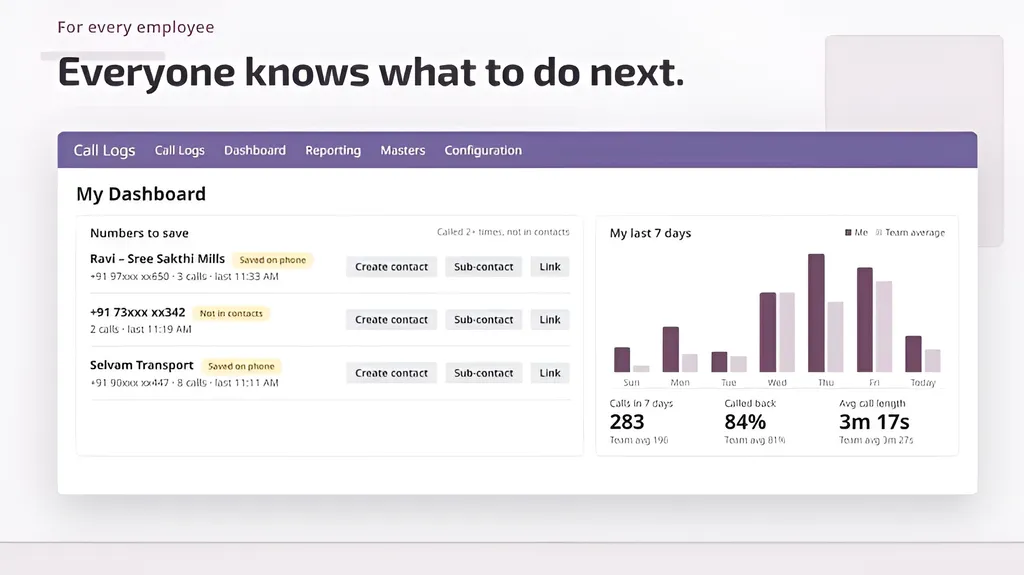
Alongside it is a seven-day chart that compares your employee’s call volume, callback rate and average call length against the team average.
It gives everyone a clear picture of their own activity, where they’re keeping pace and where there’s room to improve.
Works on Odoo
Want to see Odoo Call Log App in action? Watch our YouTube video for a closer look at its features and how it works with Odoo.
Odoo Call Log works with Odoo 17, 18, 19 and 20, hosted on Odoo.sh or on-premise.
If missed calls have become an accepted part of your working day, perhaps it’s time to reconsider?
We would be happy to walk you through Call Log App on your Odoo setup and show you what better call visibility could look like for your team. Get in touch with us to arrange a demonstration.
Frequently Asked Questions
How can the Odoo Call Log App help improve customer service?
Its dashboard puts all your call metrics in one place, allowing you to spot problems early and address them before customers notice. Employees can also access previous call records to understand customer enquiries before responding.
Can the app help my business identify missed sales opportunities?
Yes. The app identifies callers whose numbers aren’t registered in Odoo, allowing employees to create new contacts or link them to existing records.
Will it log my staff’s personal calls?
No. The app allows employees to filter out personal calls and blocks spam calls, keeping your team’s dashboard focused on the customers interactions.
If an employee leaves, do we lose their customer calls?
No. Each call is saved against the customer record in Odoo. Whoever takes over the account can review previous interactions and pick up where a colleague left off.
Will implementing the Call Log App mean moving my existing business data to another platform?
No. The app runs within your Odoo environment, with call data stored in your own database.
How can I see whether the app fits my team’s existing workflow?
Get in touch with our team to arrange a demonstration. We’ll walk you through the app and show you how it works with your existing Odoo setup.